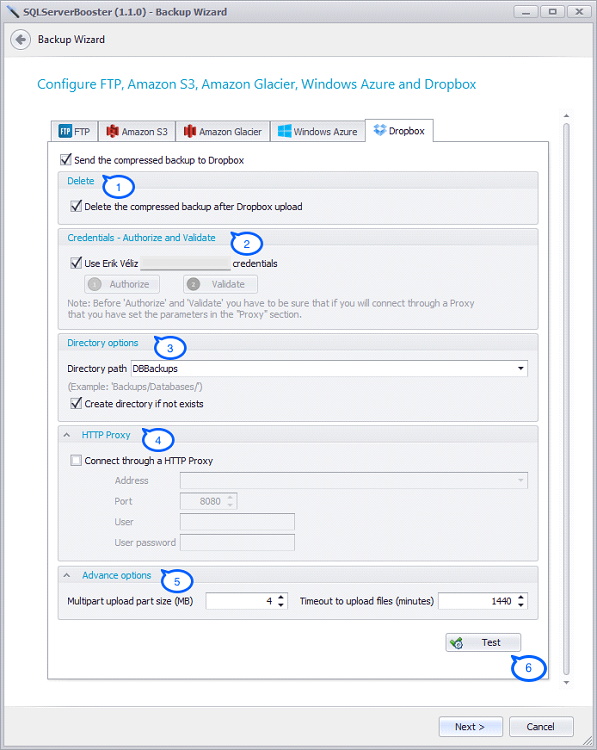
- Delete. Delete the compressed file(s) after being uploaded (*)
- Credentials - Authorize and validate
- Authorize: The first step is authorize Product Name to access your Dropbox account. After made a click on "Authorize" button, a browser will be open and it is necessary to Sign In to Dropbox and authorize
- Validate: After the authorization just make a click on the "Validate" button and this will end the authorization process
- Directory options. Set the "Directory path", also if the directory does not exists it is possible create it selecting the option "Create directory if not exist"
- HTTP Proxy. Here has to specify the address, port, user name and password
- Advance options
- Multipart upload part size (MB): The size of the part to be uploaded
- Timeout to upload the files (minutes): The maximum time to upload the backup file(s)
- Test the configuration


